
GSM-Based Smart Home Automation & Monitoring System
SKU: SH-GSM-PRT-01

KSh 180.00
KSh 250.00
28% OFF
Prices in Kenyan Shillings (KSh)
Product Description
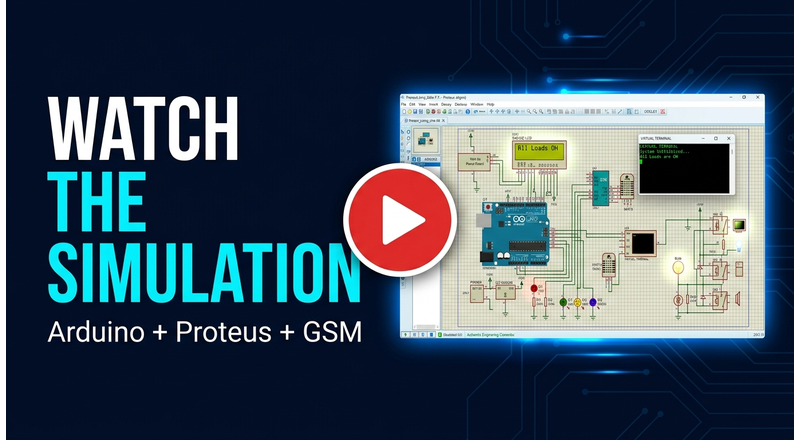
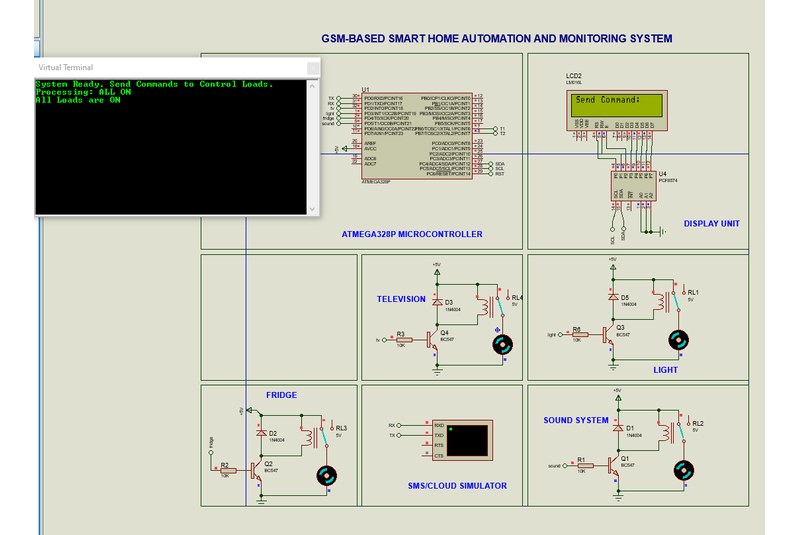
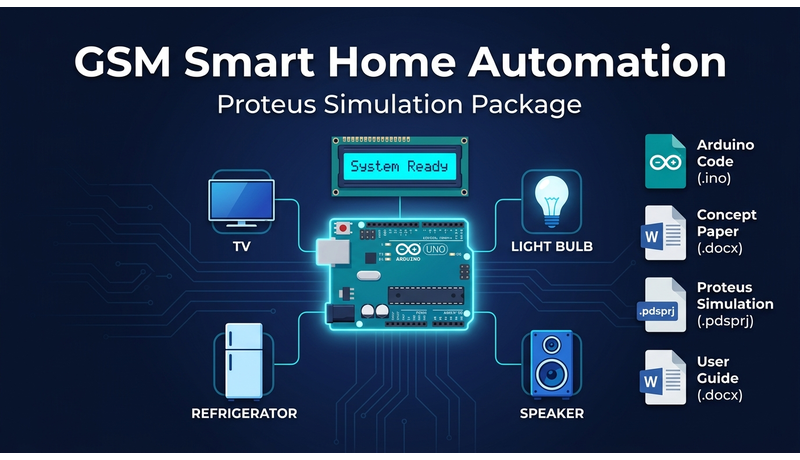
This digital product provides a fully working simulation of a GSM and IoT-based smart home automation and monitoring system. Built around an Arduino Uno in Proteus, the simulation demonstrates remote ON/OFF control of four household loads — TV, Light, Fridge, and Sound System — using serial commands entered through the Virtual Terminal. The package is ideal for students, hobbyists, and developers working on embedded systems, IoT, or smart home projects. It includes the complete Arduino source code, the ready-to-run Proteus simulation file, a detailed concept paper documenting the system design and methodology, and a step-by-step user guide for running and troubleshooting the simulation. The system features a 16×2 I2C LCD for real-time status feedback and supports individual load control as well as ALL ON / ALL OFF commands. The concept paper outlines the full architecture, including GSM (SIM800L) and IoT (NodeMCU) integration paths, making this an excellent foundation for academic projects, prototypes, and further development.
Product Images
Product Features
- Complete Arduino source code for Proteus simulation
- Ready-to-run Proteus simulation file (.pdsprj)
- Detailed concept paper (.docx) with full system documentation
- Step-by-step user guide (.docx) with troubleshooting
- Controls four loads: TV, Light, Fridge, Sound System
- Supports individual ON/OFF and ALL ON/ALL OFF commands
- 16×2 I2C LCD for real-time status display
- Virtual Terminal command interface
- GSM (SIM800L) and IoT (NodeMCU) integration documented
- Instant digital download
Product Demo
Technical Specifications
Windows
Mac
Linux
Requirements
- Proteus Design Suite (version 8.13 or later recommended)
- Arduino IDE (for viewing/editing the .ino code)
- Microsoft Word or compatible DOCX reader (for concept paper and user guide)
- Basic understanding of Arduino and Proteus simulation
What's Included
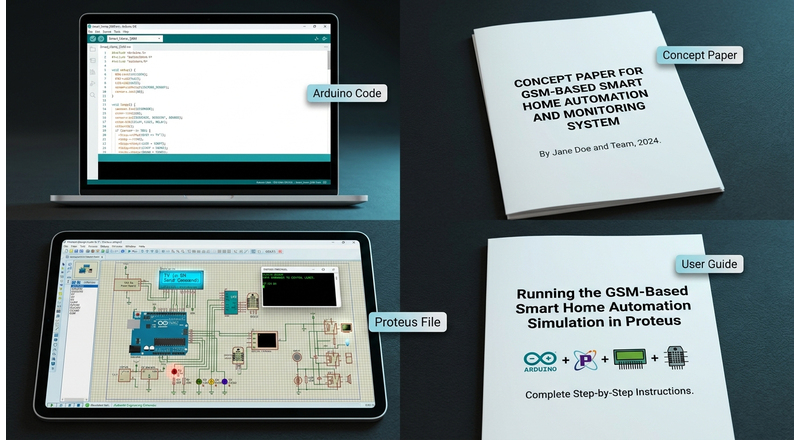
- Arduino Code (.ino) — Complete source code for the Proteus simulation, configured for I2C LCD address 0x20 and baud rate 9600.
- Concept Paper (.docx) — Full technical report covering abstract, introduction, problem statement, aim and objectives, system architecture, hardware options, methodology, expected outcomes, scope, timeline, and conclusion.
- Proteus Simulation File (.pdsprj) — Ready-to-run Proteus project containing Arduino Uno, 16×2 I2C LCD, four load indicators (pins 2, 3, 4, 5), and Virtual Terminal.
- User Guide (.docx) — Step-by-step guide for running the simulation, sending commands, understanding expected behaviour, and troubleshooting common issues.
Why Purchase With Us
- Secure payments — Safe and reliable payment processing for your purchases.
- Instant digital delivery — Access eligible digital products immediately after successful payment.
- Responsive customer support — Get assistance with purchases, products, and technical questions.
- Free initial consultation — Discuss your project or requirements with us before deciding what you need.
- Remote technical support — Get assistance with software installation, configuration, troubleshooting, and code debugging through AnyDesk or other suitable remote-support tools.
- Affordable hardware implementation — Get practical support with hardware assembly, prototyping, IoT systems, and other technical implementations.
- Technical coaching & guidance — Learn and get hands-on guidance in hardware, IoT, AI, APIs, software development, and technical documentation.
KSh 180.00
KSh 250.00
Save 28%
Prices in Kenyan Shillings (KSh)
Secure checkout with SSL encryption
Technical Specifications
Please refer to the technical specifications displayed above in the product information section.
Customer Reviews
Customer Reviews
Loading reviews...
Frequently Asked Questions
Still have questions?
We're here to help! Contact our support team and we'll get back to you as soon as possible.
Contact Support


